Encyclopaedia Index

ShapeMaker: A geometry-construction package for use with PHOENICS.

Contents

  1. What Shape-Maker does
  2. How to use it
  3. Examples of use
  4. ShapeMaker's GEO files
  5. Origin
  6. Help
  7. Access via the PHOENICS GUI

1. What Shape-Maker does

Shapemaker is a stand-alone executable program which can be used for the creation of files corresponding to a variety of mathematically-defined shapes.

These files have the extension .dat, and a format, accepted by the Virtual-Reality Editor and Viewer, which is described in some detail in a geometry-creation workshop. .

The parameters of the shapes, for example lengths, radii of curvature, number of facets, etc, may be set interactively, and stored in a file with .geo extension; and the resulting body can be imported as an "object".

ShapeMaker may also be used as an interface between PHOENICS and Design Workshop, which is a cheap, easy-to-use 3D modeller (see the Artifice web site, where the Lite version may be downloaded freely).

The Lite version of Design Works is quite powerful enough for most CFD needs.

ShapeMaker is to be found in the sub-directory \phoenics\d_shapem\d_windf; the name of its executable is shapemak.exe.

2. How to use ShapeMaker

ShapeMaker may be started in several different ways, namely:

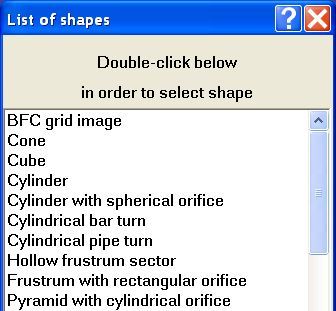
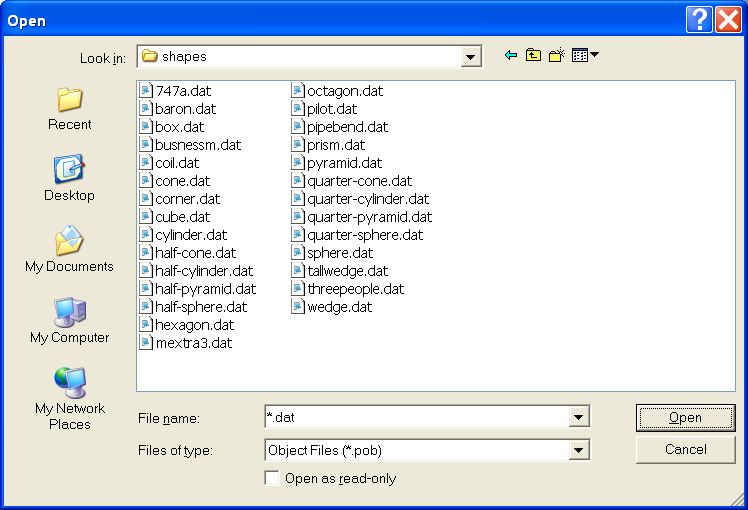
When Shapemaker is started, a simple dialog appears.

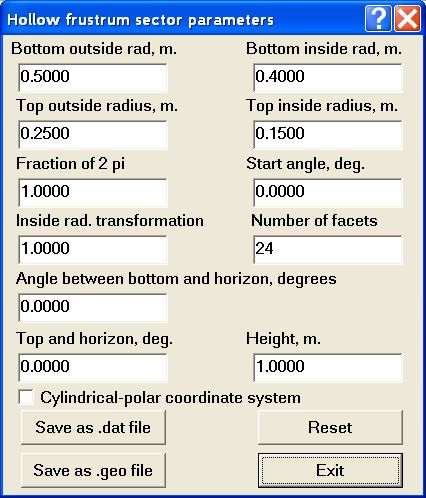
Selecting one of the shapes invokes another dialog box which enables the relevant parameters to be set.

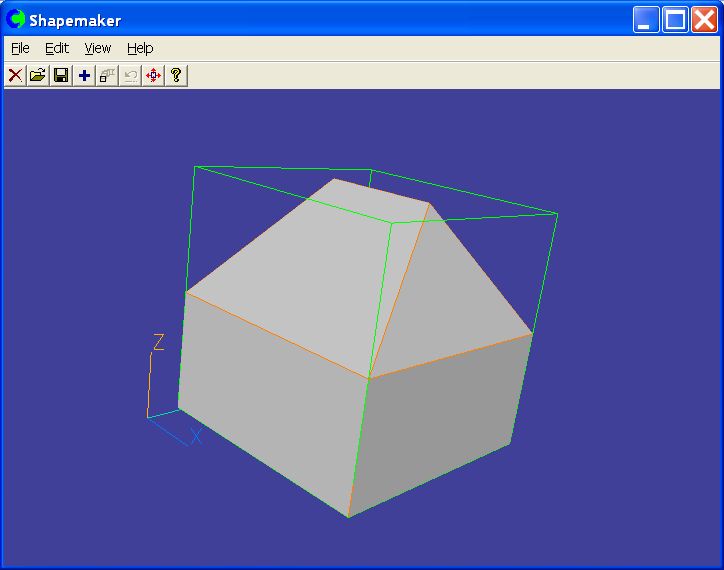
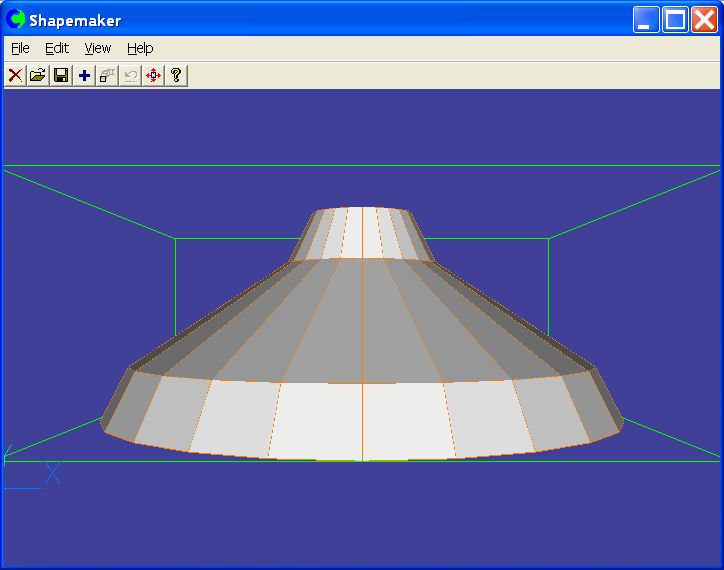
During this interaction, the facets which will be generated are shown in a 3D window behind the dialog box (which may be moved aside in the usual way).

The 3D model may be rotated and zoomed by use of the left and right mouse buttons, so that the user can verify that the object has the desired shape.

When the shape is deemed satisfactory, the facets may be output as

The facets file may be used directly in the VR Editor, and the DW file edited further in the Design Workshop program.

Note

At present the DW output is then read into shapemaker again and converted to Facets format for use with PHOENICS; in future a direct input of DW data may be implemented in PHOENICS since this format is similar to the facets format but much more readable and adaptable.

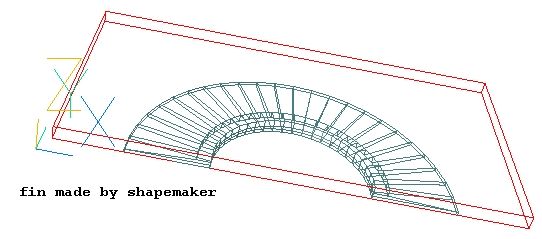
3. Examples of the use of ShapeMaker

4. ShapeMaker's GEO files

The .geo file is intended for compact storage of all geometrical parameters of shapes created by ShapeMaker program except shapes from Design Workshop files.

ShapeMaker is to read data in .geo file by using Open existing GEO file menu item or by pressing of Open an existing GEO file icon on main controls panel. User can save data to GEO file by using Save GEO file as ... menu item.

The format of a GEO file is simple and permits manual editing.

5. The origin of ShapeMaker

ShapeMaker may be regarded as the successor to:

Both these codes will however remain within the PHOENICS suite.


6. ShapeMaker Help

ShapeMaker context help can be used from the ShapeMaker program when the user clicks by a left-hand button on a black question mark in the top right corner of dialogue box and then clicks by a question cursor on any controls from this dialogue.

ShapeMaker contains the following dialog boxes, of which the interactive help messages may be seen by clicking below.

ShapeMaker main dialog box

Select figure

Select existing figure from list by double clicking the left-hand mouse button. The ShapeMaker - Viewer window represents a current figure.

Please use
- the left-hand mouse button for rotation
- the right-hand mouse button for zoomed
- the left-hand and right-hand mouse button for change of a figure position in a window.

Surface property

This sets the kind of users figure faces:
- Opaque
- Transparent

Geometry

Geometry options:

- Invert geometry
This inverts geometry of simple figures.

- Outline Facets
This shows facets lines.

FILE menu items

Open existing GEO file

- open existing .geo file and load parameters of saved object.

Save GEO file as ...

- save figure parameters into .geo file. This action is possible for primitives from list.

Save Facets

- save facets data into .dat file.

Save dw file

- save data into Design Workshop File.

Save Image

- save image of figure into file.

EDIT menu items

Undo

- undo previous operation

Clear

- clear current figure

Add object

- add object to current fugure. At first create object and save if facets into .dat file. Next create new primitive figure and add object loaded from .dat file.

Array object

- array object from current figure.

Place object

- set real size of current figure.

VIEW menu items

Set Background

- set Background color.

Set Shape Attributes

- set non-geometric attributes of shapes.

BFC grid image

X direction

boundary cell faces of BFC grid in X direction.

This sets the boundary cell faces of BFC grid in X direction. It comprises two controls:

"West face:" and "East face:"

Using this entries the user can specify the start and finish numbers of cell faces that bound users figure from BFC grid.

Y direction

boundary cell faces of BFC grid in Y direction.

This sets the boundary cell faces of BFC grid in Y direction. it comprises two controls:

"South face:" and "North face:"

Using this entries the user can specify the start and finish numbers of cell faces that bound users figure from BFC grid.

Z direction

boundary cell faces of BFC grid in Z direction.

This sets the boundary cell faces of BFC grid in Y direction. It comprises two controls:

"Low face:" and "High face:"

Using this entries the user can specify the start and finish numbers of cell faces that bound users figure from BFC grid.

View

This sets the direction of the view in designing of user figure facets.

It is switched off when the left-hand BFC grid is used.

Save as .dat RESET Exit

Contents of help

Cone parameters

Fraction of 2 pi

Fraction of angle forming conical surface relative a symmetry axis. It can change from 0 up to 1.

Start angle, degree

Start angle of conical surface. Angle is in degrees, and may be positive or negative.

Number of facets

Number of facets on the full conical surface.

Angle between bottom and horizon, degrees

Angle between a crossing cone surface and horizon. Angle is in degrees, and may be from 0 up to 60.

Cylindrical-polar coordinate system

This switches the coordinate system between

- Cartesian
- Cylindrical-polar

Save as .dat RESET Exit

Contents of help

Cube parameters

Top size

Top size.

Fraction of 2 pi

Fraction of angle forming surface relative a symmetry axis. It can change from 0 up to 1.

Start angle, degree

Start angle of cube surface. Angle is in degrees, and may be positive or negative.

Angle between bottom and horizon , degrees

Angle between bottom and horizon , degrees.

Angle between top and horizon , degrees

Angle between top and horizon , degrees.

Cylindrical-polar coordinate system

This switches the coordinate system between

- Cartesian
- Cylindrical-polar

Save as .dat RESET Exit.

Contents of help

Cylinder parameters

Top radius

Top radius

Fraction of 2 pi

Fraction of angle forming cylindrical surface relative a symmetry axis. It can change from 0 up to 1.

Start angle, degree

Start angle of cylindrical surface. Angle is in degrees, and may be positive or negative.

Number of facets

Number of facets

Angle between bottom and horizon , degrees

Angle between bottom and horizon , degrees.

Angle between top and horizon , degrees

Angle between top and horizon , degrees.

Cylindrical-polar coordinate system

This switches the coordinate system between

- Cartesian
- Cylindrical-polar

Save as .dat RESET Exit.

Contents of help

Cylinder with spherical orifice parameters

Bottom outside radius

Bottom outside radius

Top outside radius

Top outside radius

Fraction of 2 pi

Fraction of 2 pi

Start angle, degree

Start angle, degree

Horizontal number of facets

Horizontal number of facets

Vertical number of facets

Vertical number of facets

First z location

First z location

Last z location

Last z location

Outside radius transformation

Outside radius transformation.

Cylindrical-polar coordinate system

This switches the coordinate system between

- Cartesian
- Cylindrical-polar

Save as .dat RESET Exit.

Contents of help

Cylindrical bar turn parameters

First part length

First part length.

Second part length

Second part length.

Number of facets

Number of facets.

Angle between first and second parts

Angle between first and second parts.

Half of figure

Build the half of figure only.

Save as .dat RESET Exit.

Contents of help

Cylindrical pipe turn parameters

First part length

First part length.

Second part length

Second part length.

Number of facets

Number of facets.

Angle between first and second parts

Angle between first and second parts.

Inside pipe radius

Inside pipe radius.

Inside radius transformation

Inside radius transformation.

Half of figure

Build the half of figure only.

Save as .dat RESET Exit.

Contents of help

Hollow frustrum sector parameters

Number of facets

Number of facets.

Bottom inside radius

Bottom inside radius.

Top outside radius

Top outside radius.

Top inside radius

Top inside radius.

Fraction of 2 pi

Fraction of 2 pi.

Start angle, degree

Start angle, degree.

Inside radius transformation

Inside radius transformation.

Angle between bottom and horizon , degrees

Angle between bottom and horizon , degrees.

Angle between top and horizon , degrees

Angle between top and horizon , degrees.

Cylindrical-polar coordinate system

This switches the coordinate system between

- Cartesian
- Cylindrical-polar

Save as .dat RESET Exit

Contents of help

Frustrum with rectangular orifice parameters

Bottom inside size

Bottom inside size.

Top outside radius

Top outside radius.

Top inside size

Top inside size.

Fraction of 2 pi

Fraction of 2 pi.

Start angle, degree

Start angle, degree.

Inside size transformation

Inside size transformation.

Number of facet

Number of facet.

Angle between bottom and horizon , degrees

Angle between bottom and horizon , degrees.

Angle between top and horizon , degrees

Angle between top and horizon , degrees.

Cylindrical-polar coordinate system

This switches the coordinate system between

- Cartesian
- Cylindrical-polar

Save as .dat RESET Exit

Contents of help

Pyramid with cylindrical orifice parameters

Bottom inside radius

Bottom inside radius.

Top outside size

Top outside size.

Top inside radius

Top inside radius.

Fraction of 2 pi

Fraction of 2 pi.

Start angle, degree

Start angle, degree.

Inside radius transformation

Inside radius transformation.

Number of facets

Number of facets.

Angle between bottom and horizon , degrees

Angle between bottom and horizon , degrees.

Angle between top and horizon , degrees

Angle between top and horizon , degrees.

Cylindrical-polar coordinate system

This switches the coordinate system between

- Cartesian
- Cylindrical-polar

Save as .dat RESET Exit

Contents of help

Pyramid with rectangular orifice parameters

Bottom inside size

Bottom inside size.

Top outside size

Top outside size.

Top inside size

Top inside size.

Fraction of 2 pi

Fraction of 2 pi.

Start angle, degree

Start angle, degree.

Inside size transformation

Inside size transformation.

Angle between bottom and horizon , degrees

Angle between bottom and horizon , degrees.

Angle between top and horizon , degrees

Angle between top and horizon , degrees.

Cylindrical-polar coordinate system

This switches the coordinate system between

- Cartesian
- Cylindrical-polar

Save as .dat RESET Exit. Exit

Contents of help

Pyramid with spherical orifice parameters

Bottom outside size

Bottom outside size.

Top outside size

Top outside size.

Outside size transformation

Outside size transformation.

Fraction of 2 pi

Fraction of 2 pi.

Start angle, degree

Start angle, degree.

Horizontal number of facets

Horizontal number of facets.

Vertical number of facets

Vertical number of facets.

First z location

First z location.

Last z location

Last z location.

Cylindrical-polar coordinate system

This switches the coordinate system between

- Cartesian
- Cylindrical-polar

Save as .dat RESET Exit

Contents of help

Ring parameters

Ring section parameters

Here all parameters for a ring section are described.

Radius

Radius of a ring section.

Radius transformation

Ring section radius transformation.

Fraction of 2 pi

Fraction of 2 pi in a ring section.

Start angle, degree

Start angle in a ring section, degree.

First z location

First z location.

Last z location

Last z location.

Number of facets

Number of facets for a ring section.

Ring parameters

Here all parameters for a ring are described.

Number of facets

Number of facets for a ring.

Radius transformation

Ring radius transformation.

Fraction of 2 pi

Fraction of 2 pi for ring.

Start angle, degree

Start angle for ring, degree.

Cylindrical-polar coordinate system

This switches the coordinate system between

- Cartesian
- Cylindrical-polar

Save as .dat RESET Exit.

Contents of help

Ring pipe parameters

Ring section parameters

Here all parameters for a ring pipe section are described.

Number of facets

Number of facets for a ring pipe section.

Fraction of 2 pi

Fraction of 2 pi for a ring pipe section.

Start angle, degree

Start angle for a ring pipe section, degree.

Inside ring

Here inside parameters for a ring pipe section are described.

Radius

Inside radius of a ring pipe section.

Radius transformation

Inside radius of a ring pipe section transformation.

First z location

First z location for a inside ring pipe section.

Last z location

Last z location for a inside ring pipe section.

Outside ring

Here outside parameters for a ring pipe section are described.

Radius

Outside radius of a ring pipe section.

Radius transformation

Outside radius of a ring pipe section transformation.

First z location

First z location for a outside ring pipe section.

Last z location

Last z location for a outside ring pipe section.

Ring parameters

Here all parameters for a ring pipe are described.

Radius transformation

Ring pipe radius transformation.

Number of facets

Number of facets for a ring pipe.

Fraction of 2 pi

Fraction of 2 pi for a ring pipe.

Start angle, degree

Start angle of a ring pipe, degree.

Cylindrical-polar coordinate system

This switches the coordinate system between

- Cartesian
- Cylindrical-polar

Save as .dat RESET Exit.

Contents of help

Sphere parameters

First z location

First z location.

Last z location

Last z location.

Fraction of 2 pi

Fraction of 2 pi.

Start angle, degree

Start angle, degree.

Horizontal number of facets

Horizontal number of facets.

Vertical number of facets

Vertical number of facets.

Cylindrical-polar coordinate system

This switches the coordinate system between

- Cartesian
- Cylindrical-polar

Save as .dat RESET Exit.

Contents of help

Sphere with cylindrical orifice parameters

Bottom inside radius

Bottom inside radius.

Top inside radius

Top inside radius.

Inside radius transformation

Inside radius transformation.

Fraction of 2 pi

Fraction of 2 pi.

Start angle, degree

Start angle, degree.

Horizontal number of facets

Horizontal number of facets.

Vertical number of facets

Vertical number of facets.

First z location

First z location.

Last z location

Last z location.

Cylindrical-polar coordinate system

This switches the coordinate system between

- Cartesian
- Cylindrical-polar

Save as .dat RESET Exit.

Contents of help

Sphere with rectangular orifice parameters

Bottom inside size

Bottom inside size.

Top inside size

Top inside size.

Fraction of 2 pi

Fraction of 2 pi.

Start angle, degree

Start angle, degree.

Horizontal number of facets

Horizontal number of facets.

Vertical number of facets

Vertical number of facets.

First z location

First z location.

Last z location

Last z location.

Inside size transformation

Inside size transformation.

Cylindrical-polar coordinate system

This switches the coordinate system between.

- Cartesian
- Cylindrical-polar

Save as .dat RESET Exit.

Contents of help

Spherical shell parameters

Inside sphere parameters

Here all parameters for a inside sphere are described.

First z location

First z location of a inside sphere.

Last z location

Last z location of a inside sphere.

Radius

Radius of a inside sphere.

Horizontal radius transformation

Horizontal radius transformation of a inside sphere.

Vertical radius transformation

Vertical radius transformation of a inside sphere.

Outside sphere parameters

Here all parameters for a outside sphere are described.

First z location

First z location of a outside sphere.

Last z location

Last z location of a outside sphere.

Horizontal radius transformation

Horizontal radius transformation of a outside sphere.

Vertical radius transformation

Vertical radius transformation of a outside sphere.

Horizontal number of facets

Horizontal number of facets.

Vertical number of facets

Vertical number of facets.

Fraction of 2 pi

Fraction of 2 pi.

Start angle, degree

Start angle, degree.

Cylindrical-polar coordinate system

This switches the coordinate system between.

- Cartesian
- Cylindrical-polar

Save as .dat RESET Exit.

Contents of help

Spiral parameters

Ring section parameters

Here all parameters for a ring section are described.

Radius

A ring section radius.

Radius transformation

A ring section radius transformation.

Fraction of 2 pi

Fraction of 2 pi for a ring section.

Start angle, degree

Start angle for a ring section, degree.

First z location

First z location for a ring section.

Last z location

Last z location for a ring section.

Number of facets

Number of facets for a ring section.

Ring parameters

Here all parameters for a spiral ring are described.

Radius

A spiral ring radius.

Radius transformation

A spiral ring radius transformation.

Fraction of 2 pi

Fraction of 2 pi for a spiral ring.

Start angle, degree

Start angle of a spiral ring, degree.

Horizontal change

Horizontal change of a spiral ring.

Vertical change

Vertical change of a spiral ring.

Number of facets

Number of facets of a spiral ring.

Cylindrical-polar coordinate system

This switches the coordinate system between.

- Cartesian
- Cylindrical-polar

Spiral pipe parameters

Spiral pipe section parameters

Here all parameters for a spiral pipe section are described.

Number of facets

Number of facets for a spiral pipe section.

Fraction of 2 pi

Fraction of 2 pi for a spiral pipe section.

Start angle, degree

Start angle for a spiral pipe section, degree.

Inside

Here all parameters for a inside spiral pipe section are described.

Radius

Radius of a inside spiral pipe section.

Radius transformation

Transformation of inside radius of spiral pipe section.

First z location

First z location of a inside spiral pipe section.

Last z location

Last z location of a inside spiral pipe section.

Outside

Here all parameters for a outside spiral pipe section are described.

Radius

Radius of a outside spiral pipe section.

Radius transformation

Transformation of outside radius of spiral pipe section.

First z location

First z location of a outside spiral pipe section.

Last z location

Last z location of a outside spiral pipe section.

Spiral pipe parameters

Here all parameters for a spiral pipe are described.

Number of facets

Number of facets of a spiral pipe.

Fraction of 2 pi

Fraction of 2 pi of a spiral pipe.

Radius

Radius of a spiral pipe.

Start angle, degree

Start angle of a spiral pipe, degree.

Radius transformation

A spiral pipe radius transformation.

Horizontal change

Horizontal change of a spiral pipe.

Vertical change

Vertical change of a spiral pipe.

Cylindrical-polar coordinate system

This switches the coordinate system between.

- Cartesian
- Cylindrical-polar

Save as .dat RESET Exit.

Contents of help

T-junction bar parameters

Upper part length

Upper part length.

Lower part length

Lower part length.

Second bar length

Second bar length.

Number of facets

Number of facets.

Bottom second radius

Bottom second bar radius.

Top second radius

Top second bar radius.

Second bar radius transformation

Second bar radius transformation.

Angle between main and second parts

Angle between main and second parts.

Half of figure

Build the half figure only.

Save as .dat RESET Exit.

Contents of help

T-junction pipe parameters

Upper part length

Upper part main pipe length.

Lower part length

Lower part main pipe length.

Second pipe length

Second pipe length.

Number of facets

Number of facets.

Outside second radius

Outside second pipe radius.

Second radius transformation

Second pipe radius transformation.

Inside second radius

Inside second pipe radius.

Inside main radius

Inside main pipe radius.

Angle between main and second parts

Angle between main pipe and second pipe parts.

Half of figure

Build the half figure only.

Save as .dat RESET Exit.

Contents of help

Rectangular bar turn parameters

First part length

First part length.

Second part length

Second part length.

Angle between first and second parts

Angle between first and second parts.

Save as .dat RESET Exit.

Contents of help

Rectangular pipe turn parameters

Inside pipe radius

Inside pipe radius.

Inside radius transformation

Inside radius transformation.

First part length

First part length.

Second part length

Second part length.

Angle between first and second parts

Angle between first and second parts.

Half of figure

Build the half figure only.

Save as .dat RESET Exit.

Contents of help

Flat spiral bar parameters

Flat spiral section parameters

Here all parameters for a flat spiral section are described.

Rectangle size

A flat spiral section size.

Size transformation

Transformation factor of a flat spiral section size.

Fraction of 2 pi

Fraction of 2 pi occupied by flat spiral section actual surface.

Start angle, degree

Start angle of flat spiral section, degree.

Flat spiral parameters

Here all parameters for a flat spiral ring are described.

Spiral radius

Radius of a flat spiral ring.

Spiral radius transformation

Transformation factor of a flat spiral ring radius.

Fraction of 2 pi

Fraction of 2 pi occupied by flat spiral ring actual surface.

Start angle, degree

Start angle of flat spiral ring, degree.

Horizontal change

Horizontal change of flat spiral ring radius.

Vertical change

Vertical change of flat spiral ring radius.

Number of facets

Number of facets for flat spiral ring.

Cylindrical-polar coordinate system

This switches the coordinate system between

- Cartesian
- Cylindrical-polar

Save as .dat RESET Exit.

Contents of help

Flat spiral pipe parameters

Spiral flat pipe section parameters

Here all parameters for a flat spiral pipe section are described.

Fraction of 2 pi

Fraction of 2 pi occupied by flat spiral pipe section.

Start angle, degree

Angle at which the actual surface of flat spiral pipe section starts.

Inside rectangle

Here all parameters for inside surface of a flat spiral pipe section are described.

Rectangle size

A flat spiral section inside size.

Size transformation

Transformation factor of a flat spiral section inside size.

Outside rectangle

Here all parameters for outside surface of a flat spiral pipe section are described.

Rectangle size

A flat spiral section outside size.

Size transformation

Transformation factor of a flat spiral section outside size.

Spiral flat pipe parameters

Here all parameters for a flat spiral pipe ring are described.

Radius

A flat spiral pipe ring radius. Fraction of max ring horizontal radius. Real value between 0 and 1.

Radius transformation

Transformation factor of a flat spiral pipe ring radius. Real value between 0 and 1.

Horizontal change

Horizontal change of a flat spiral pipe ring radius.

Vertical change

Vertical change of a flat spiral pipe ring radius.

Number of facets

Number of facets for a flat spiral pipe ring.

Fraction of 2 pi

Fraction of 2 pi occupied by actual flat spiral ring surface.

Start angle, degree

Angle at which the actual starts.

Cylindrical-polar coordinate system

This switches the coordinate system between

- Cartesian
- Cylindrical-polar

Save as .dat RESET Exit.

Contents of help

X-junction bar parameters

Upper part length

Upper part length of a main bar.

Lower part length

Lower part length of a main bar.

Second bar length

Length of a second bar.

Third bar length

Length of a third bar.

Bottom second radius

Bottom radius of a second bar.

Top second radius

Top radius of a second bar.

Second bar radius transformation

Transformation factor of a second bar radius.

Bottom third radius

Bottom radius of a third bar.

Top third radius

Top radius of a third bar.

Third bar radius transformation

Transformation factor of a third bar radius.

Angle between main and second bars, degree

Angle between main and second bars, degree.

Angle between main and third bars, degree

Angle between main and third bars, degree.

Number of facets

Number of facets on the full actual surface.

Half of figure

Build the half of figure only.

Save as .dat RESET Exit.

Contents of help

X-junction pipe parameters

Upper part length

Upper part length of a main pipe.

Lower part length

Lower part length of a main pipe.

Second pipe length

Length of a second pipe.

Third pipe length

Length of a third pipe.

Angle between main and second pipes, degree

Angle between main and second pipes, degree.

Angle between main and third pipes, degree

Angle between main and third pipes, degree.

Number of facets

Number of facets on the full actual surface.

Outside

Here all parameters for a outside surface of a X-junction pipe are described.

Bottom second radius

Outside bottom radius of a second pipe.

Second pipe radius transformation

Transformation factor of outside bottom radius for a second pipe.

Top second radius

Outside top radius of a second pipe.

Bottom third radius

Outside bottom radius of a third pipe.

Third pipe radius transformation

Transformation factor of outside bottom radius for a third pipe.

Top third radius

Outside top radius of a third pipe.

Inside

Here all parameters for a inside surface of a X-junction pipe are described.

Main pipe radius

Inside radius of a main pipe.

Main pipe radius transformation

Transformation factor of inside radius for a main pipe.

Bottom second radius

Inside bottom radius of a second pipe.

Second pipe radius transformation

Transformation factor of inside radius for a second pipe.

Top second radius

Inside top radius of a second pipe.

Bottom third radius

Inside bottom radius of a third pipe.

Third pipe radius transformation

Transformation factor of inside radius for a third pipe.

Top third radius

Inside top radius of a third pipe.

Half of figure

Build the half of figure only.

Save as .dat RESET Exit.

Contents of help

Joukowsky Airfoil parameters

Thickness (>1)

Thickness, should be more than 1.

Camber

Camber.

Offset surface

Offset surface (thick TE) 1 for true Joukowsky.

Number of facets

Number of facets on the full actual surface.

Save as .dat RESET Exit.

Contents of help

NACA 4 Digit Airfoil parameters

Camber/chord

Camber/chord.

Pos of max chord

Pos of max chord.

Thickness/chord

Thickness/chord.

Number of facets

Number of facets on the full actual surface.

Save as .dat RESET Exit.

Contents of help

DW 3D Model import

Load .DW file

Search and load Design Workshop File ( *.DW ).

Save as .dat Exit.

Contents of help

Perforated rectangular plate parameters

Sizes of perforated rectangular plate, meters

Here sizes of a perforated rectangular plate are described in meters.

Size in X direction

Size of a perforated rectangular plate in X direction, meters.

Size in Y direction

Size of a perforated rectangular plate in Y direction, meters.

Thickness of the plate

Thickness of of a perforated rectangular plate, meters.

Number of holes

Here number of holes of a perforated rectangular plate are described.

in X direction

Number of holes in X direction.

in Y direction

Number of holes in Y direction.

Hole bottom radius, m.

Bottom radius of holes in meters.

Hole top radius, m.

Top radius of holes in meters.

Number of facets

Number of facets per one hole.

Save as .dat RESET Exit.

Contents of help

Added object parameters

Displacement about main figure, meters

Distances between local coordinate system centers of main and added figures in X, Y and Z directions.

in X direction

Distances between local coordinate system centers of main and added figures in X directions, meters.

in Y direction

Distances between local coordinate system centers of main and added figures in Y directions, meters.

in Z direction

Distances between local coordinate system centers of main and added figures in Z directions, meters.

Rotation angles, degree

Rotation angles of added object about X, Y and Z axis.

about X axis

Rotation angles of added object about X axis, degree.

about Y axis

Rotation angles of added object about Y axis, degree.

about Z axis

Rotation angles of added object about Z axis, degree.

Size factors of added object

Size factors of added object in X, Y and Z directions. These factors will be multiplied on the appropriate sizes of a added object.

X size

Factor of X size of a added object.

Y size

Factor of Y size of a added object.

Z size

Factor of Z size of a added object.

Add

Search facets data file of a saved figure and add it to the current figure.

Save as .dat Exit.

Contents of help

Arrayed object parameters

Number of copies

Number of copies of a object in X and Y directions.

Displacement, meters

Distances between local coordinate system centers of each figures in X and Y directions.

Make array

Make array of current figure

Save as .dat Exit.

Contents of help

Placed object parameters

Size of placed object, meter

Here real sizes of current object in X, Y and Z directions are described. Change the size of current object in X, Y and Z directions.

X size

Real X size of current object in meters.

Y size

Real Y size of current object in meters.

Z size

Real Z size of current object in meters.

Position of placed object, meter

Here real position of current object into domain are described. Change the position of current object in X, Y and Z directions.

X position

Real X position of current object in meters.

Y position

Real Y position of current object in meters.

Z position

Real Z position of current object in meters.

Rotation of placed object, degree

Here rotations angles of current object are described.

Angle about X

Rotation angle about X axis in degrees.

Angle about Y

Rotation angle about Y axis in degrees.

Angle about Z

Rotation angle about Z axis in degrees.

Display object

Create objects of real sizes for further loading into the PHOENICS VR Editor. Display object after resizing.

Shape attributes

This dialogue box sets non-geometric attributes of a current shape.

Material

This button makes active a dialogue box of which sets a kind of a material of a current shape.

Material type

This button makes active a dialogue box of which sets a type of a material of a current shape.

Temperature, K

Temperature of a current shape in Kelvin.

Initial temperature, K

Initial value of a current shape temperature in Kelvin.

Select Material

This dialogue box sets material of a current shape.

Select Material

Select existing material from list by clicking the left-hand mouse button.

Choose Material Type

This dialogue box sets material type of a current shape.

Choose Material Type

Select existing material type from list by clicking the left-hand mouse button.

Rectangular plate parameters

Length

Length of a rectangular plate are described in meters.

Width

Width of a rectangular plate are described in meters.

Thickness

Thickness of a rectangular plate are described in meters.


. OK button confirms input of new parameters.

. CANCEL button cancels input of new parameters.

. SAVE AS . GEO makes the .geo file for current settings.

. SAVE AS . DAT makes the .dat file for current settings.

. RESET resets all figure parameters to their default values.

. EXIT cancels the current operation